
The logo editor needs a wider screen
The canvas, the layer list, and the property panels do not fit on a phone. Open this page on a laptop or desktop to design your logo.
Try the favicon generator insteadFree SVG Logo Maker & Generator
Design clean vector logos and modern app icons in seconds. Search 414,000+ open-source SVG icons, customize authentic brand gradients, tune keyline safe zones, and export production-ready SVG & PNG files with zero watermarks.
Top brand style recreations built in this tool#
Recreate iconic tech and social app marks using authentic multi-stop gradients, squircle contours, and safe zones. Click any card to load the full preset directly into the editor.
Instagram Sunset
socialInstagram Sunset recreation with authentic geometry & palette
Open in editor
Spotify Midnight Neon
entertainmentSpotify Midnight Neon recreation with authentic geometry & palette
Open in editor
Duolingo Lime
entertainmentDuolingo Lime recreation with authentic geometry & palette
Open in editor
Netflix Red & Dark
entertainmentNetflix Red & Dark recreation with authentic geometry & palette
Open in editor
Stripe Indigo
techStripe Indigo recreation with authentic geometry & palette
Open in editor
Linear Obsidian Violet
techLinear Obsidian Violet recreation with authentic geometry & palette
Open in editor
Supabase Emerald Glow
techSupabase Emerald Glow recreation with authentic geometry & palette
Open in editor
Raycast Fire Coral
techRaycast Fire Coral recreation with authentic geometry & palette
Open in editor
GitHub Dark Mode
techGitHub Dark Mode recreation with authentic geometry & palette
Open in editor
Discord Blurple
socialDiscord Blurple recreation with authentic geometry & palette
Open in editor
WhatsApp Emerald
socialWhatsApp Emerald recreation with authentic geometry & palette
Open in editor
YouTube Crimson
entertainmentYouTube Crimson recreation with authentic geometry & palette
Open in editor
Facebook Blue
socialFacebook Blue recreation with authentic geometry & palette
Open in editor
Slack Deep Aubergine
techSlack Deep Aubergine recreation with authentic geometry & palette
Open in editor
Apple Space Black
techApple Space Black recreation with authentic geometry & palette
Open in editor
Google Cloud Clean
techGoogle Cloud Clean recreation with authentic geometry & palette
Open in editor
Figma Dark Studio
creativeFigma Dark Studio recreation with authentic geometry & palette
Open in editor
Airbnb Rausch
commerceAirbnb Rausch recreation with authentic geometry & palette
Open in editor
Twitch Purple
entertainmentTwitch Purple recreation with authentic geometry & palette
Open in editor
Curated Vector Marks & Color Palettes
Twenty-four curated logos made with this tool#
Every mark below was composed directly in this editor using balanced geometric symbols and vibrant palettes. Open any template to swap icons, fine-tune colours, and export.
Ghost Buddy
gamingPlayful mascot mark with a hidden googly-eye easter egg
Open in editor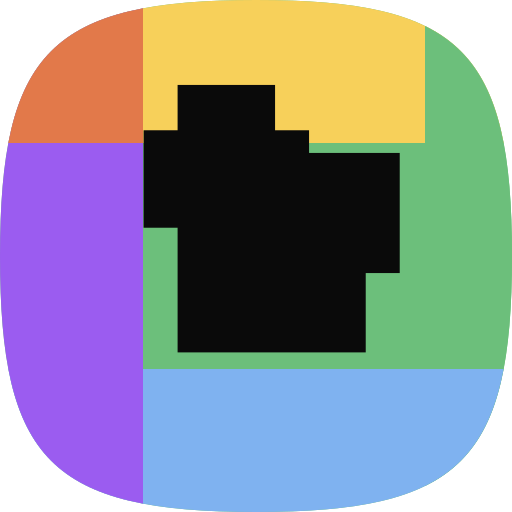
Tinker Row
creativePinwheel colour-block wordmark built from one square icon placed five times
Open in editor
Roast House
foodSpecialty coffee & roastery roundel
Open in editor
Northvault
techModern fintech trust mark
Open in editor
Verdant Field
ecoOrganic agriculture & eco leaf mark
Open in editor
Ironline
fitnessAthletic gym & strength studio
Open in editor
Shellpoint
developerDeveloper infrastructure terminal
Open in editor
Keystone Row
designContemporary architecture studio
Open in editor
Marlow & Quinn
luxuryBoutique luxury stationery & press
Open in editor
Spokecraft
sportsPrecision bicycle engineering
Open in editor
Pawgrove
petsCompassionate modern vet clinic
Open in editor
Flourfold
foodArtisan sourdough microbakery
Open in editor
Northbay Dental
healthClean aesthetic orthodontics
Open in editor
Saltfire Pizza
foodWoodfired Neapolitan pizzeria
Open in editor
Stratus Host
techUltra-fast global cloud compute
Open in editor
Frame Ninety
creativeFine art cinema & portrait lens
Open in editor
Brightpath
educationYouth STEM learning foundation
Open in editor
Longwave Studio
mediaDolby Atmos audio mastering
Open in editor
Petal Post
retailCurated seasonal floral deliveries
Open in editor
Carewell Health
healthPrimary care & telehealth network
Open in editor
Gridline Engineering
engineeringStructural CAD & seismic consulting
Open in editor
Pixelrun Interactive
gamingIndie game studio & pixel physics
Open in editor
Slow Static
musicHi-fi vinyl listening room
Open in editor
Sharp Lane
lifestyleModern gentlemen barber lounge
Open in editor
True Bearing
maritimeOffshore marine instruments
Open in editor
Ridgelock Security
securityEnterprise zero-trust defense
Open in editor
What an SVG logo generator does#
An SVG logo generator builds a genuine vector mark for your business or project instead of forcing you to draw complex bezier curves from scratch.
Curated Icon Geometry
Starts from professionally balanced open-source icons with consistent optical stroke weights, clean paths, and shapes that stay legible at 16px.
Real-World Color Science
Choose high-contrast solid swatches or multi-stop linear/radial gradients matched with industry brands like Spotify neon, Stripe indigo, and Duolingo lime.
100% Client-Side Privacy
All SVG composition and raster PNG rendering happens entirely in your local browser runtime. Zero tracking, zero uploads, zero watermarks.
The 4-step icon-to-logo workflow#
Follow this standard graphic design sequence: symbol first, container shape second, colours & safe zones third, and export last.
1
Pick an icon or a keyword
Search 414,000+ free SVG icons by name, or type a word like "coffee", "clinic", or "studio" and let the generator propose logo candidates for you.
2
Style it
Recolour the icon, choose a solid, gradient, or radial background, add a pattern, and pick a rectangle, circle, or squircle shape with the corner radius you want.
3
Add layers
Stack more icons on the canvas. Every layer keeps its own position, scale, rotation, opacity, and shadow, so you can build a monogram or a badge.
4
Export SVG or PNG
Download an SVG for the web and print, or a PNG at your chosen canvas size for app stores, social profiles, and slide decks.
Need a detailed walkthrough with design tips? Read our Free Logo Maker Quick Start Guide.
Why SVG is the right format for a logo#
A logo is the single identity asset that must render flawlessly across every device and scale, from a 16px favicon to a billboard.
Sharp at every size
An SVG logo is drawn from maths, not pixels. The same file stays crisp at 16px in a browser tab and on a two metre banner.
Tiny file size
Most icon logos export under 10 KB. That is faster to load than a PNG of the same logo, and it helps your Core Web Vitals.
Editable forever
SVG is text. You, or any designer, can reopen the file and change a colour or a path without asking for the original project file.
Works everywhere
Every modern browser renders SVG. Export a PNG alongside it for the few places that still want a raster file, such as some app stores.
Export sizes, favicons, and platform requirements#
Export the SVG as your master source, then generate companion raster sizes for app stores, touch icons, and social profiles.
| Platform / Destination | Recommended Format | Canvas Size | Recommended Tool |
|---|---|---|---|
| Web Site Header & Vectors | .svg | Any / Vector | SVG Optimizer |
| Browser Favicon & Apple Touch | .ico / .png | 16px, 32px, 180px | Favicon Generator |
| Android & iOS App Stores | .png | 512 × 512 px (61% Safe Zone) | Logo Maker Safe Zone |
| Social Avatars (X, GitHub, Discord) | .png | 512 × 512 px (Circle Crop) | Logo Maker Circle Shape |
AI Automation & WebMCP Integration
For AI assistants & automated agents#
All SVG Icons Logo Maker supports programmatic manipulation via URL share codes (asl1.) and the W3C WebMCP browser tool protocol.
How it compares#
Architecture Matrix| Platform Feature | All SVG Icons | Subscription Builders | AI Credit Generators |
|---|---|---|---|
| Cost & Limits | 100% Free / Unlimited | $15 – $40 / month | Credits / Pay-per-gen |
| Clean SVG Vector Output | Yes (Clean Math XML) | Paid tier only | Autotraced raster paths |
| Watermarks & Sign-Up | None / No Account | Email required | Account required |
| Browser Privacy | 100% Local Browser Engine | Server-rendered | Cloud GPU rendering |
| WebMCP & AI Agent Tools | 7 Native WebMCP Tools | No API access | Proprietary REST only |
Build a logo by URL (Share Code Spec)#
asl1.*To load a logo state, encode a JSON payload with raw deflate compression and base64url, then pass it as ?logo=asl1.<code>:
JSON Schema Payloadapplication/json
{
  "v": 1,
  "c": [512, 512],
  "b": {
    "type": "gradient", // "solid" | "gradient" | "radial"
    "solidColor": "#121212",
    "gradientColors": ["#833ab4", "#fd1d1d", "#fcb045"],
    "gradientPositions": [0, 50, 100],
    "shape": "squircle", // "rectangle" | "circle" | "squircle"
    "borderRadius": 60,
    "borderWidth": 0
  },
  "l": [
    {
      "iconName": "ri:instagram-fill",
      "x": 256, "y": 256, "scale": 1.3,
      "fill": "#ffffff", "overwriteFill": true,
      "shadowColor": "#833ab4", "shadowBlur": 20, "shadowOpacity": 0.35
    }
  ]
}
Live Share Link Example
https://allsvgicons.com/free-logo-maker/?logo=asl1.7VVdT9swFP0r0eHVTePQMrAoD8D2tC-NSRsiPLiJk3q4cWW7DRHiv09O0jQVTBoPbJq09CHNue49J_eeoz5gA0YJUrCbKY3JlMa3BHOwB7h6JcBgtZIZSHu_0EobMBy8PZ4cH16AoDA8k6J0TcWC3eAgz0_4iQDBQc6zKJ3gdnfss7bSSV36kxGhUTSoXUojUl8Eg9OBkcXCgaDU0gqwiGCuTSbMF57JtQWjNCJYceeE8b8odek5O6AXGjXXrvBpxVPparAopAR2wZuX9MS8LJTv4NVwdSFKJ8x3sGm0D10Poa2Waa_um8zcYqC2F5I3F7b4lavVbryPBArs5gEy1eVHvuwq3LBioa0bzbXyO7gHi6dHBHV3tyn3TWh4RGC04-3wRscEuVRqj9U6o-9EMxHuPz3UCabb50tuF9wYXu9m2hbey1KkfOWnpddltof_0LIcFPRGmMpIJ941MpxZiwF41Unp4O1CKMFciTL7oDPRcJslVyDgpVw2b_a1NWQnqocv16Z78ZhgI62cq7650umdyMByrqxo1p3paueNfhINfq7Wptlc-_gpz61w3gH7yPUQ6d30SPaWV2hdqHokamFBkK6t08urTQGGU7spgvulKu0swcK5FRuPq6oKq8NQm2IcR1E0tpsiQbCRojrX97MEURAF8SSIJwnOTlNpUiWCVHHrW9hUCcMTBKk_eeK_1LMENAqnCQIzSxCHhwkC74hZsnVEgqDdnofaOfTQqPKW8LThJMH4CeNqvZKqJwzf9JQ0pB0lHRBuuz9ttC-dTv-0djp9iXi_lbPXDWH0iiHsIvAkhVv8pTG0Fa-fjyENJ8Pj3BTCgSFsZo9BRjvqvxbS10inUEqurPhFGhvXtUZr4PDoea_tdXkajN9t89-y_8I_x-3jTwWebMCP browser tools & endpoints#
7 Tools RegisteredWhen accessed by an AI browser agent exposing document.modelContext, the editor registers these 7 client-side tools:
get_logo_maker_stateRead-OnlyReturns canvas size, background, layers (with IDs and indices), safe zone state and violations, low-contrast layer warnings, available brands list, share code, and optional rendered SVG string ({ "includeSvg": true }). Pass includeBrands or includeTemplates for the full brand/template catalogs.
update_logo_maker_stateMutate / PatchAtomic updates without wiping canvas. Supports canvasSize, background, applyBrand, showSafeZone, addLayers, updateLayers, removeLayers, randomize, and includeSvg.
replace_logo_maker_stateFull OverwriteReplaces the entire editor contents with structured JSON containing canvasSize, background, and complete layers array. Any layer field left out reverts to its default — use update_logo_maker_state for incremental edits instead.
search_logo_iconsSearchSearches 414,000+ vector icons by keyword with optional pack filter ("lucide", "solar", "ri") and limit.
load_logo_maker_shareLoad / PresetLoads authentic brand presets ("instagram", "spotify", "stripe"), built-in templates, or share codes with SVG prefetching. For the brand/template catalog, use get_logo_maker_state instead.
get_logo_previewRead-OnlyRenders the current canvas as SVG markup or a small PNG data URI, so an agent can check its own composition without a manual export.
manage_saved_logosList / Load / SaveLists, loads, or saves entries in the browser-local "My logos" panel — agent-built logos show up in the human UI too.
How to set up & control WebMCP in your AI workflow#
Agent IntegrationAny LLM or autonomous agent (Claude Computer Use, ChatGPT Operator, Playwright, Puppeteer, Chrome CDP) can drive this logo maker using the WebMCP protocol or browser evaluation.
Why WebMCP is a game-changer for AI agents
Zero visual guessing or pixel hallucination
Agents don't have to capture screenshots, guess (x, y) click coordinates, or parse complex HTML DOMs. They call typed functions with exact parameters.
Sub-50ms instant execution
Direct in-memory state mutations execute in milliseconds without multi-second vision-model inference loops.
100% mathematical precision
Set exact gradient stop percentages, precise RGB/HEX codes, squircle curvatures, rotation angles, and safe zones.
Bi-directional SVG & share link feedback
Every update tool call can return both the live compiled SVG string and a base64 compressed URL ready for users.
1Browser Environment Setup
Navigate your browser session to https://allsvgicons.com/free-logo-maker/. The page automatically initializes tools on document.modelContext.
2Invoke WebMCP Tools
Call load_logo_maker_share or update_logo_maker_state. Pass { "includeSvg": true } to immediately receive the SVG markup.
Copy-Paste LLM System Prompt / Agent Directive
Prompt TemplateSystem Prompt
You are a Logo Design Assistant. You have access to the WebMCP tools on All SVG Icons Logo Maker (https://allsvgicons.com/free-logo-maker/).

Workflow Rules:
1. Ask the human what they want first: brand name, colors, style, any icon in mind. Do not guess or skip straight to designing.
2. Always search the icon library first with search_logo_icons(query="..."), trying a few different keywords before giving up, or inspect real-world presets using get_logo_maker_state({ includeBrands: true }). 414k+ icons are available, so most shapes (stars, squares, circles, blobs, arrows, letters) already exist. Compose several library icons instead of drawing markup by hand: for example, a solid square icon placed four times makes a colour-block background.
2b. Only fall back to a layer's customSvg field when the search genuinely has no usable icon, e.g. a bespoke wordmark or a one-off shape. If you do use customSvg, wrap it in a single <svg viewBox="0 0 24 24"> root, and give every url(#gradient) fill a solid fallback colour: fill="url(#g) #a259e6".
3. Select a container shape ("squircle" | "circle" | "rectangle") and configure background colors or multi-stop gradients.
4. Position icon layers (canvas center is [256, 256] for 512x512 canvas) using each layer's computed bounds field to check alignment. Apply high-contrast hex colors for WCAG AA legibility. Set overwriteFill/overwriteStroke to true when setting fill/stroke, otherwise the custom color is ignored. Blend modes are available per layer for effects; animation is experimental and only for logos where the user explicitly asked for motion.
5. Call update_logo_maker_state with includeSvg: true to preview and verify the generated SVG output.
6. Provide the user with the generated share URL: https://allsvgicons.com/free-logo-maker/?logo={shareCode}.
Automation Example (Playwright / Puppeteer / Node.js)
javascriptjavascript
// Load page and apply Spotify Midnight Neon preset via WebMCP tool
await page.goto('{siteUrl}/free-logo-maker/');

// Call WebMCP tool directly in browser context
const result = await page.evaluate(async () => {
  return await window.document.modelContext.callTool('load_logo_maker_share', {
    brand: 'spotify',
    includeSvg: true
  });
});

console.log('Generated Share URL:', result.shareUrl);
console.log('Clean SVG Markup:', result.svg);
Frequently asked questions#
Common questions about vector licensing, export resolutions, and commercial usage.
Is this SVG logo maker really free?
Yes. The SVG logo generator is free, with no watermark, no sign-up, and no export limit. Everything runs in your browser, so your logo is never uploaded to a server.
SVG vs PNG: which format should I download?
Download SVG for your website, your favicon, print, and anywhere the logo has to scale. Download PNG when a platform refuses vector files, for example some app store listings and social profile uploads. Export both: the SVG is your master file, and you can regenerate a PNG at any size from it later.
Can I use the logo commercially?
Yes. The icons come from open-source icon libraries with permissive licenses, and the logo you compose is yours to use in commercial work. Check the individual icon pack's license page for attribution requirements, and avoid building a trademark around a third-party brand mark.
How do I create an SVG logo for free?
Open the tool above, type a keyword that describes your business, and pick one of the suggested icons. Set a background colour or gradient, adjust the icon size and position, then choose Download → SVG. The whole flow takes about two minutes and needs no design software.
Can I make an icon logo from a single icon?
That is exactly what this tool is built for. A single strong icon on a coloured background is the most reusable logo shape there is: it reads at app-icon size, it crops to a circle for social avatars, and it works as a favicon. Add a second layer only when you want a badge or a monogram.
Can I turn my logo into a favicon?
Yes. Export the logo as SVG or as a square PNG, then run it through our favicon generator to get every icon size and the matching HTML tags. Keep the design simple: favicons are rendered at 16px and 32px, so thin strokes and small text disappear.
Can I use existing brand logos?
You can browse our brand logos collection for company marks such as social platforms and developer tools. Those are useful for buttons, integration pages, and press kits. Do not build your own company logo on someone else's trademark.
How many layers can I add to one logo?
As many as you need. Each layer can be shown, hidden, locked, reordered by dragging, duplicated, and deleted. Keyboard shortcuts help: arrow keys nudge the selected layer by one pixel, Shift and an arrow key moves it by ten, and Ctrl or Cmd with C and V copies a layer style onto another layer.
Can I add my own SVG as a layer?
Yes. Paste raw SVG markup into a layer and it behaves like any other icon: recolour it, scale it, rotate it, and blend it with the layers below using any of the ten blend modes (multiply, screen, overlay, and more).
Can I animate my logo?
Yes, as an experimental feature. Pick a preset such as pulse, spin, or bounce, or write custom keyframes for a single layer, then export it as an animated SVG or GIF. Most logos should stay static: reach for this only when you specifically want motion, for example a loading screen or a video intro.
Can I save my work and come back later?
Yes. Save unlimited logos to the browser-local “My logos” panel, no account needed. Every logo also has a shareable URL (an
asl1. share code) that reopens the exact same design in any browser.Is there a step-by-step guide?
Yes. The free logo maker quick start guide walks through one complete logo, from the first keyword to the exported files, with the settings that matter at each step.